 XStream
User guide
Manage Datasets, design and execute Jobs, or embed XStream in an application. Start with a working example, then use the topic tables to find configuration, examples and reference.
1. Get started
flowchart LR
  Install["Install and configure"] --> Catalog["Choose a Dataset and Item"]
  Catalog --> Job["Write YAML or use Designer"] --> Run["Run the Job"] --> Result["Consume the result stream"]
| Task | Guide and example |
|---|---|
| Build and run your first Job | Quick start, using the checked-in JSONL file |
| Start the visual editor | Designer guide and startup configuration |
| Understand the output | Records print as JSONL; bytes write directly to stdout. Read different views. |
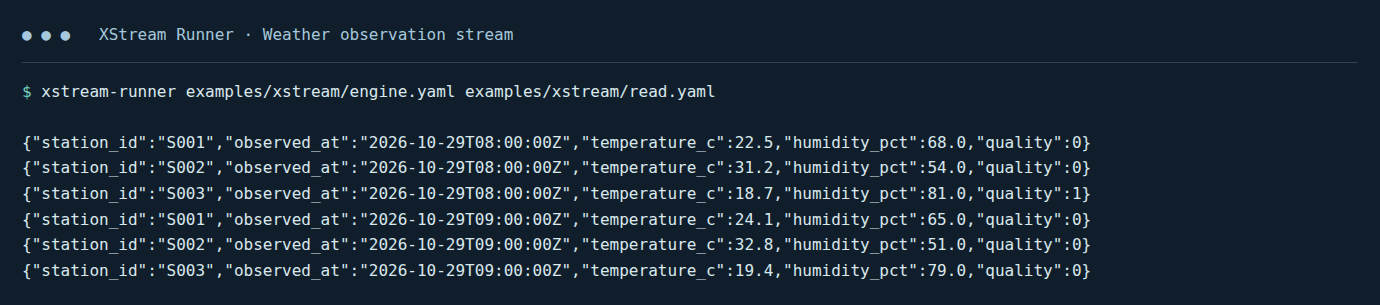
Captured output of the supplied quick-start Job. Each JSONL line is one observation; the command and source path match the quick-start instructions.
2. Manage and read data
| Task | Guide and example |
|---|---|
| Understand catalogs, Datasets, Items and views | Data model, including logical trees over physical files |
| Configure directory, mixed or SQL Datasets | Dataset backends; dynamic catalog configuration |
| Browse folders and choose a view | Dataset access, complete Scala reading examples |
| Read CSV, JSONL, Excel, Parquet or archives | File formats; GZIP and archive paths |
| Read NetCDF, FITS or FASTA | Scientific view examples and Designer selections |
| Connect PostgreSQL and map SQL types | JDBC datasets |
| Filter, project and limit records | Record queries |
| Read a remote Item | Item references and remote connection settings |
3. Write and run Jobs
| Task | Guide and example |
|---|---|
| Define steps, ports and final outputs | Job YAML |
| Supply variables and keep their types | Job variables |
| Select repository operators or develop locally | Operator examples, local libraries |
| Run, consume results and cancel | Runner and embedding |
| Set timeout, retries, whole-Job recovery | Execution policies |
| Understand execution units and dependency compatibility | Fusion, dependency environments |
| Compare performance | Measured fusion example |
4. Design visually
Use the Designer guide for Target selection, catalogs, canvas operations, parameters, variables, schema/sample previews, validation, YAML import/export and Chat. The guide includes current screenshots and a complete editing flow.
5. Integrate an application
| Task | Guide and reference |
|---|---|
| Initialize a catalog and consume views in Scala | Scala examples, Data SDK |
| Embed the Job engine and manage cancellation/lifecycle | Embedding example, execution API |
| Configure execution records | Execution history |
| Look up stream and buffer ownership | DataView API, Arrow encoding reference |
To implement an operator, backend, format or other plugin, continue with the development guide.